 Limitpace
For Claude Code · Windows + Mac
Know when you'll hit your Claude Code limit. Before you do.
For developers on Claude Pro or Max. Your 5-hour and weekly usage sits in the Windows tray or Mac menu bar, with the time you'll run out.
No API key. No account. Reads the login Claude Code already saved.
See it in 26 seconds
"It cut me off in the middle of a refactor."
You find out at 100%
The limit message shows up mid-task, and the reset is hours away.
A % alone says too little
62% means nothing until you know how far into the window you are.
Windows got GitHub downloads
Unsigned tray tools you trust and update by hand. The polished one is Mac-only.
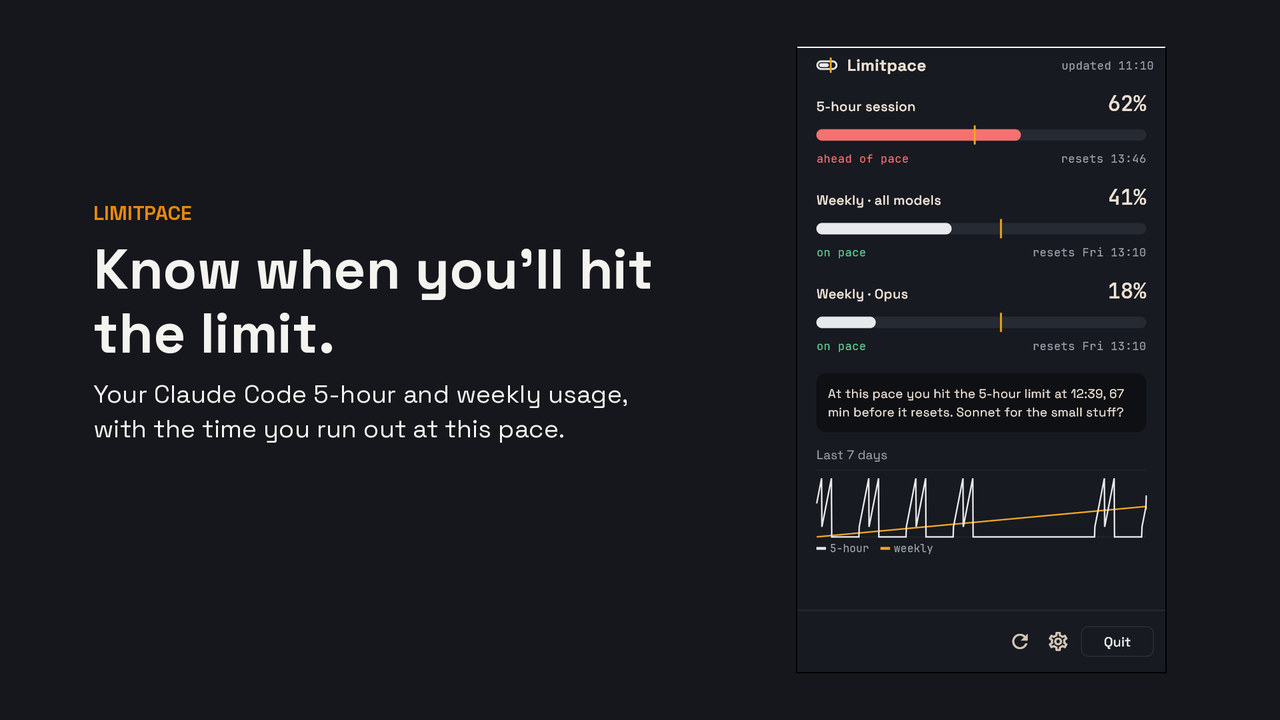
Your limits in the corner of your screen, with a forecast
See your pace
An amber tick on each bar marks where you'd be if usage were spread evenly. Past the tick, you're burning too fast.
Know when you run out
"At this pace you hit 100% at 15:40, 75 minutes before it resets." Switch to Sonnet before, not after.
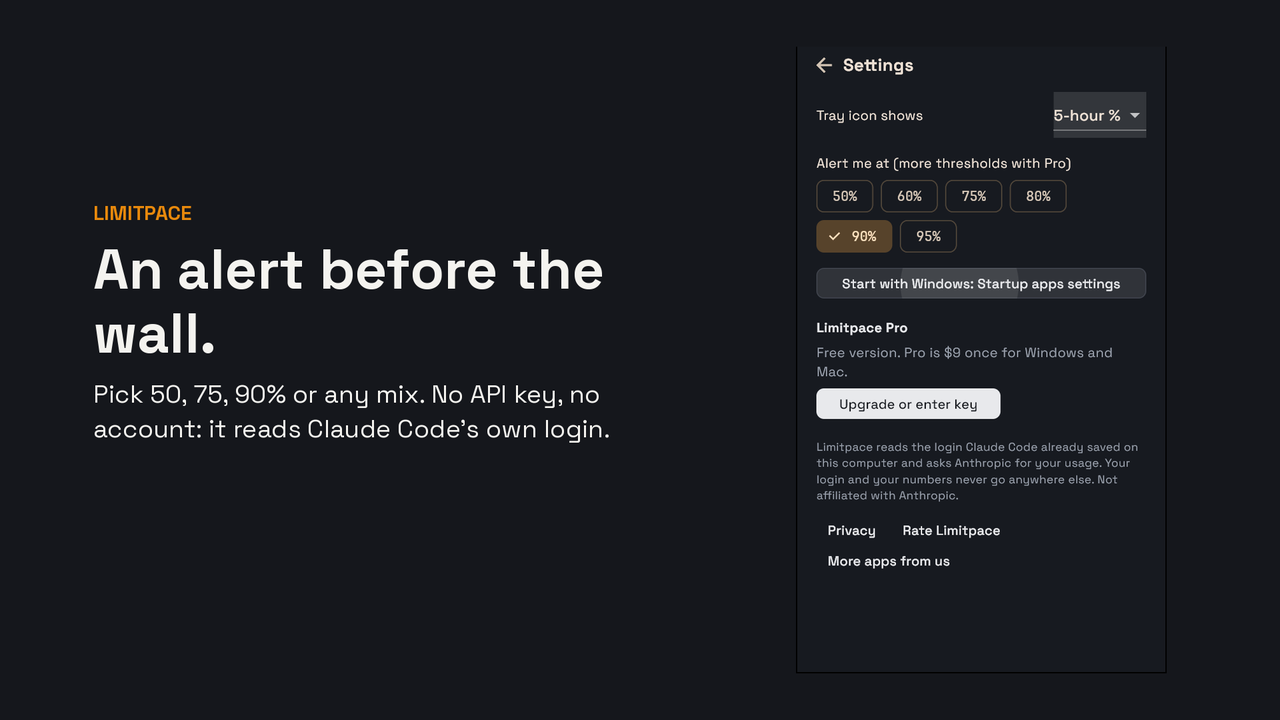
Get warned, not cut off
A desktop alert at 90% on the free version, or any mix of 50 to 95% with Pro.
Set up in a minute
1. Install from the Store
Signed, auto-updating, one click on Windows 10 and 11.
2. Use Claude Code as usual
Limitpace reads the login Claude Code already saved on your computer.
3. Glance at the tray
The gauge fills as you use the 5-hour window. Click it for the full picture.
Free, or $9 once
Free
- 5-hour and weekly bars with the pace tick
- Reset countdowns
- Alert at 90%
- Refresh every 5 minutes
Pro
- Pace forecast: the time you hit 100%
- Alerts at any % you pick
- Opus and Sonnet weekly bars
- 7-day history, kept on your computer
- Refresh every minute
- One key, two computers (Windows + Mac)
Less than one hour of a Max plan, once. No subscription.
Questions
Does Limitpace see my code or prompts?
No. It reads only the Claude Code login on your computer and asks Anthropic for your usage numbers. Nothing is sent to us.
Do I need an API key?
No. If Claude Code works on your computer, Limitpace works. If the login expires, run claude once and refresh.
Is it made by Anthropic?
No. Limitpace is an independent app. Claude and Claude Code are trademarks of Anthropic.
What if I change computers?
Free the seat in Settings, then activate the same key on the new computer. Each key covers two computers.
Is there a Mac version?
Yes, the same app runs in the Mac menu bar. The Mac download is coming soon; Pro keys work on both.
Stop finding out at 100%.
The free version has no time limit.